
Installing IceViewer HTML5 Requirements on Windows Server
Prerequisites
The IceViewer HTML5 requires Internet Information Services (IIS) version 7.0 or newer version installed on the computer, with the following components:
- Application Development Features > .NET Extensibility 4.0 or higher
- Application Development Features > ASP.NET 4.0 or higher
- Security > Windows Authentication
- ASP.NET Core Hosting Bundle for IIS (For .NET Core 9.0)
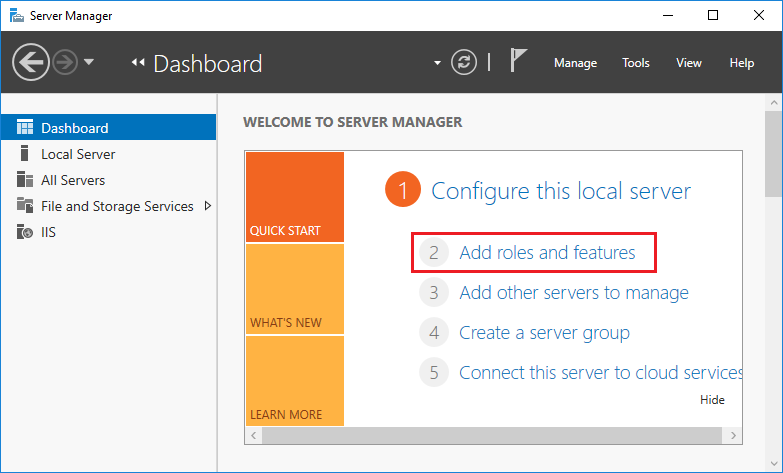
In order to Install the IIS and the components, start the Server Manager > Add roles and features
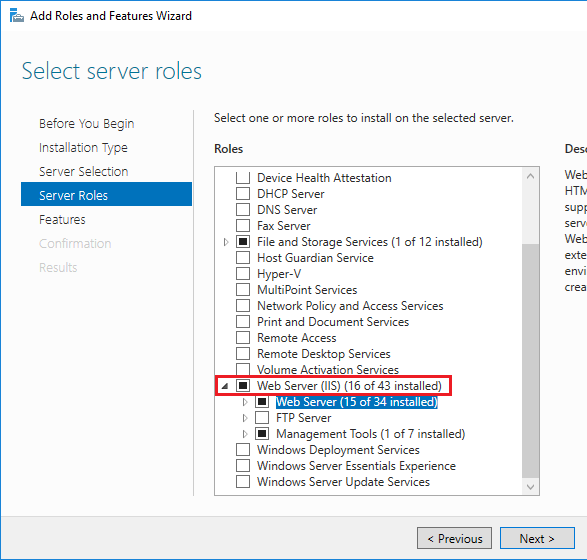
Proceed to the Server Roles, and tick the Web Server (IIS) Role.
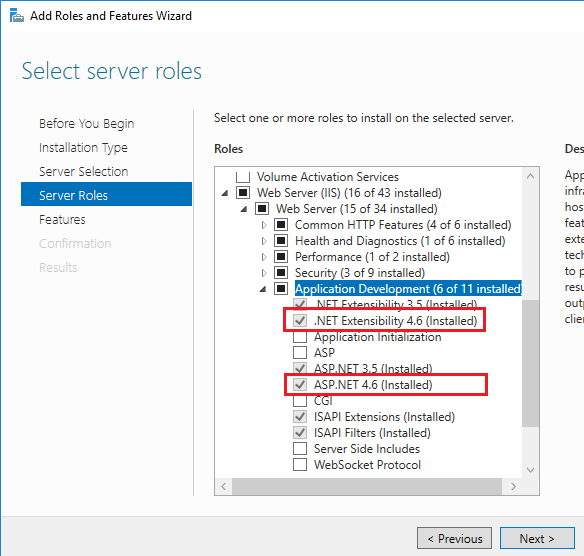
Also make sure that the following components are also selected:
- Application Development Features > .NET Extensibility 4.0 or higher
- Application Development Features > ASP.NET 4.0 or higher
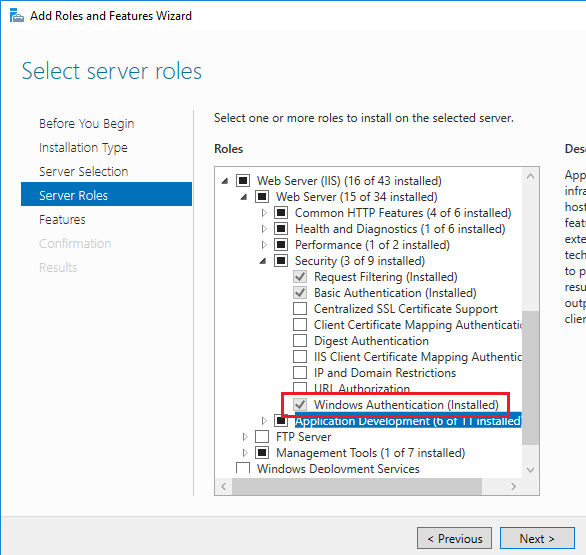
- Security > Windows Authentication
Proceed with the installation until complete.
Once the installation is finished, you can install the IceViewer HTML5 on the Server.