
Using FileFlow Server with Exchange
To configure the FileFlow Server to use Microsoft Exchange for email sending, please select the SMTP Server option on the Account Settings window.
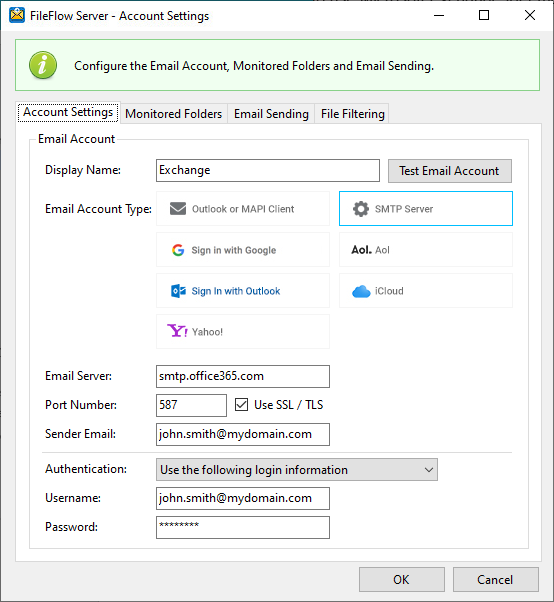
Please configure the SMTP Settings as the following:
Email Server - Enter the Exchange server address (smtp.office365.com).
Port Number - Enter the correct port of the mail server, used for sending emails.
Using SSL/TLS - Enable this checkbox if SSL/TLS authentication is required by the mail server.
Authentication
Account settings might be required for authentication by the Exchange server. Please select the Authentication method from the Authentication drop-down menu.
- Select the Use the following login information option to enter the account name and password. The FileFlow Server will use these settings automatically every time when sending an email.
- The Send emails without username and password option is designed for SMTP servers that allow email sending without a username and password. Please note that the majority of email senders require a username and password.
Username / Email - Enter the user’s email address.
Password - Enter the related password.
To test the email sending, click on the Test Email Account button and see if the configured email account receives a test email.