Scheduling
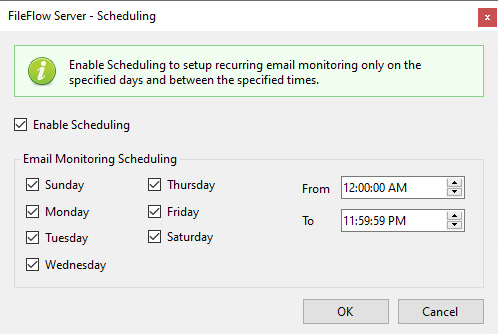
On the Scheduling window, one can configure the schedule of the email sending / folder monitoring. To enable scheduling, please navigate to FileFlow Server > Scheduling tab > check the Enable Scheduling option.
One can select the desired days of the week and specify a time interval for starting and stopping the email sending / folder monitoring.