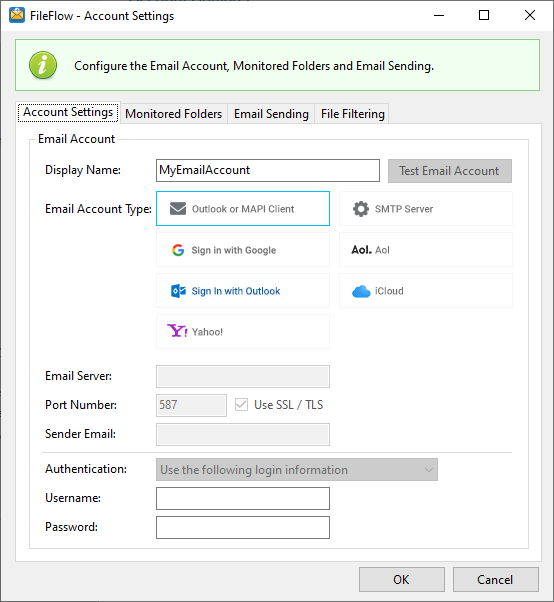
On the Account Settings window, one can configure the e-mail account used for sending e-mails.
Outlook or MAPI Client
Select the Outlook or MAPI Client option, to use applications such as Microsoft Outlook, Outlook Express, or Thunderbird email client for email sending. To read more about Outlook or MAPI Client configuration, please see Outlook or MAPI Client.
SMTP Server
Select SMTP Server option to use an SMTP server as an email provider. If the SMTP Server option was selected as the desired email provider, the SMTP Server settings appear on the bottom of the window where users can enter the required information. To read more about SMTP settings, please see the Custom SMTP email server section of the manual.
Preset email providers
The following preset providers are available:
Using the FileFlow with Yahoo (free email account)
Using the FileFlow with Yahoo Small Business
Using the FileFlow with iCloud