
Request a read receipt feature
The Request a read receipt feature on the Email Providers tab lets you request a notification when a recipient opens an email sent by Print2Email. This is useful when you want confirmation that an important email has been viewed.
To enable the feature, select Request a read receipt under Email Sending Options. The option is also available for individual Workflows under Workflow Editor → Sender → Email Sending Options.
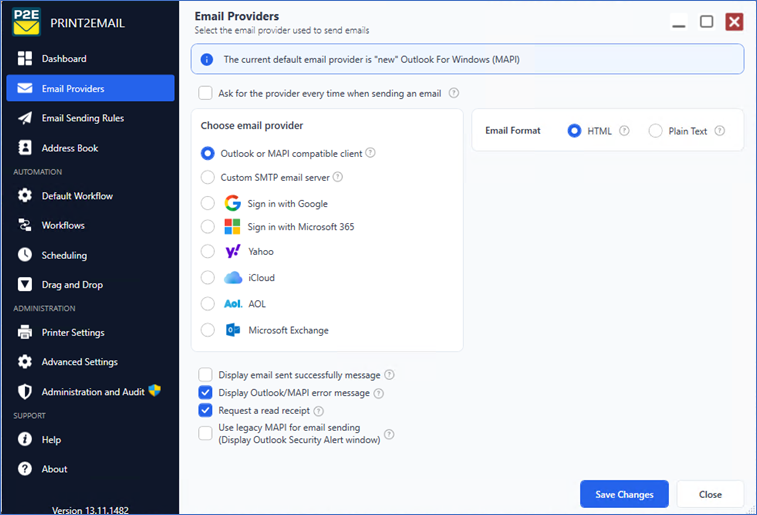
When enabled, Print2Email adds a read-receipt request to every email sent using the selected settings. The recipient’s email provider or application determines whether a receipt is returned.
Note: Read receipts are not guaranteed. Recipients may decline the request, and email providers, applications, privacy features, or organizational policies may ignore or remove it. A missing receipt does not necessarily mean the email was not opened.
The feature is not available when Use legacy MAPI for email sending is enabled. Standard Outlook email sending remains supported.