
MSI Printer Driver Installer for Large Scale Deployment
The MSI installer for the Document Converter Printer Drivers is designed for large scale deployment in Active Directory environment. The system administrators can create custom configurations for the Printer Drivers using an .INI file (.INI stands for initialization). The MSI installer greatly simplifies mass deployment, and eliminates the need for customers to build custom installations.
System administrators can silently install the Printer Drivers on every computer when the user logs into the domain for the first time through Group Policy Deployment.
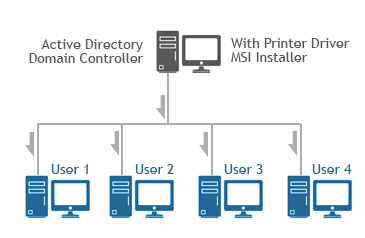
The section covers the followings:
- Supported Installation Methods Using Group Policy Deployment
- Email Configuration through MSI Printer Driver Installation
- SharePoint Configuration through MSI Printer Driver Installation
- Printer Driver MSI configuration through CUSTOMINI file
- Create an INI file for customized installation
- How to reconfigure already installed Black Ice printer drivers through Group Policy?
- Convert a Profile to INI file
- Agent Printer configuration through custom profiles