
Preconfigured Email Settings
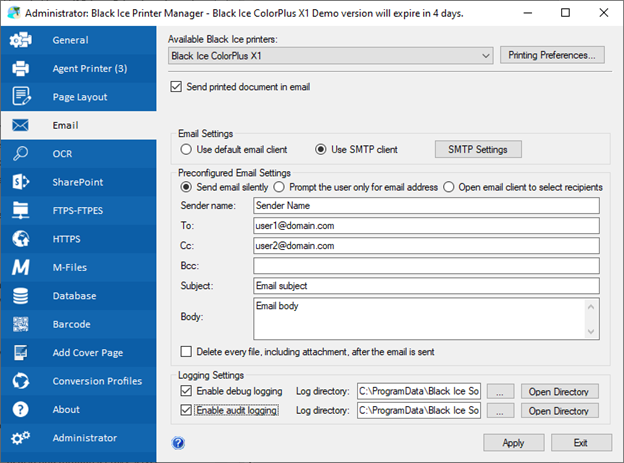
The Preconfigured Email Settings option enables the application to send emails without user intervention by pre-setting the destination address, destination CC, destination BCC, subject, and body.
Send e-mails silently - Enable this checkbox to deliver emails automatically, using the information provided in the subsequent fields:
| Sender Name: | The displayed name of the sender. (Maximum 127 characters, digits and any special characters) |
| To: | Destination email address. (Maximum 1024 characters. Only valid email addresses) |
| CC: | Destination CC address. (Maximum 1024 characters. Only valid email addresses) |
| BCC: | Destination BCC address. (Maximum 1024 characters. Only valid email addresses) |
| Subject: | Email subject (maximum 78 characters, digits and any special characters) |
| Body: | Email body (maximum 65536 characters, digits and any special characters) |