
Changing Output Directory
To change the Output directory for the Save As option, perform the following steps:
- Open the printing Preferences of the Printer Driver.
Control panel > Devices and Printers > right click on the Printer driver > Printing Preferences.
- Click on the Filename Generation tab. See the screen capture below:
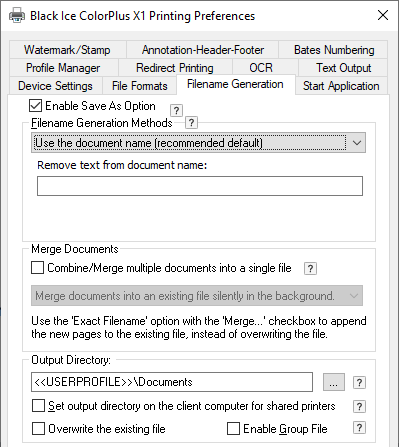
- Change the default output directory from <<USERPROFILE>>\Documents to C:\Users\Public\Documents. The user must have writing privileges to the directory of C:\Users\Public\Documents.
NOTE: Environment variables can also be used to specify the output directory.