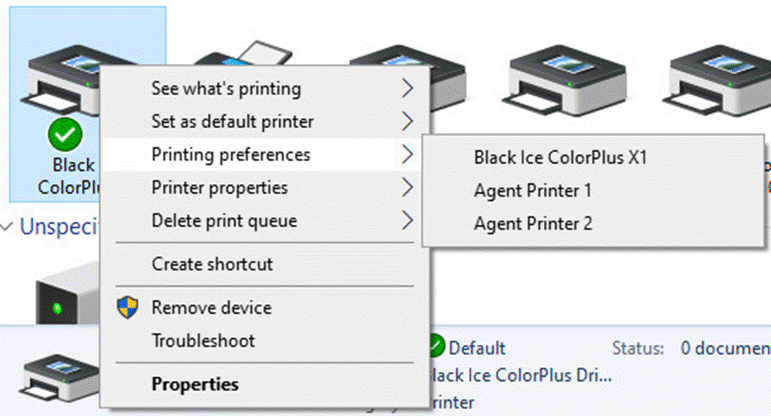
In the Control Panel, Windows groups together printers that use the same driver and port under a single icon. The name of the icon can be the base printer (ColorPlus, PDF, or TIFF Printer Driver) or any of the Agent Printers you created.
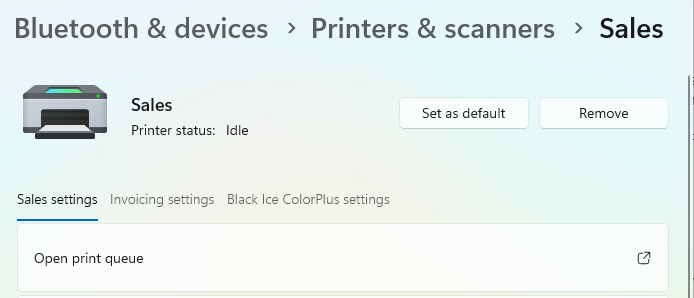
On Windows 11 systems, please navigate to Settings > Bluetooth & devices > Printers & scanners > click on the Agent Printer or ColorPlus, PDF, or TIFF Printer Driver you can find.
Windows creates a Printer settings tab for every Agent Printer or Printer:
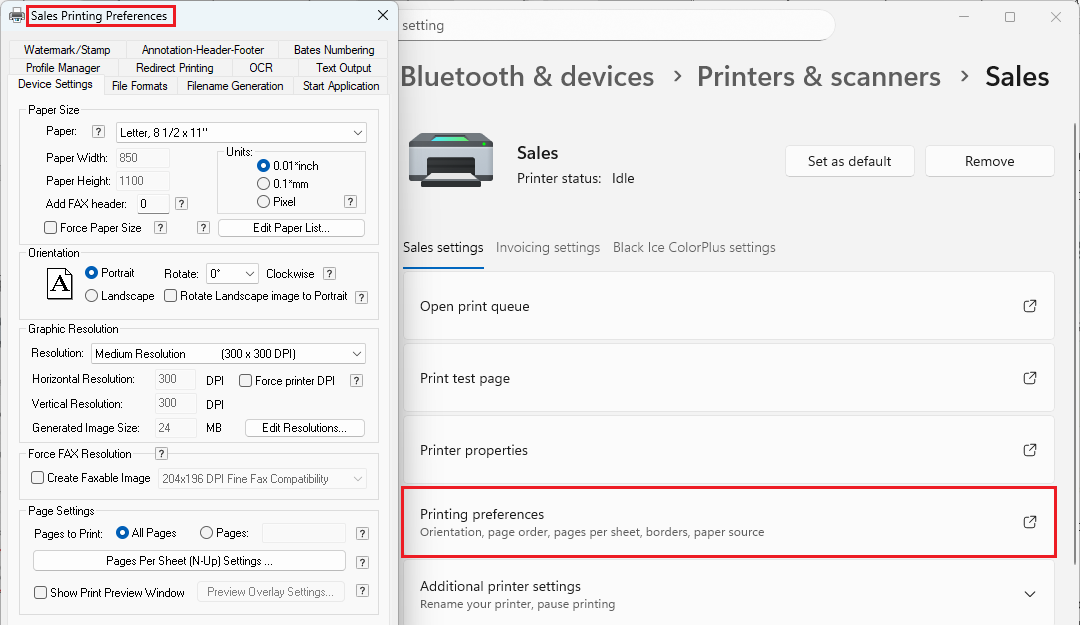
On some older versions of Windows 11, the tabs are not named after the Agent Printers. To find out which Agent Printer the tab belongs to, please open the Printing preferences and check the window title:
On Windows 10/8/7 and Windows Server systems, to find the printer, please navigate to the Control Panel > Devices and Printers, right-click on the Agent Printer or ColorPlus, PDF, or TIFF Printer Driver you can find.
E.g.: to show the Printing Preferences, please right-click on the Agent printer, select Printing preferences, and choose the printer you want to change.