The Error Code 300 typically indicates that the default email client is set to the new Outlook for Windows, which does not support third-party applications for sending emails, such as the Printer Driver.
This error occurs when the default email client on the computer is configured to use the new Outlook for Windows.
Please note that even if the classic Outlook version is installed, the Printer Driver always uses the default email client that is configured on the computer.
To resolve this issue, ensure that the computer uses the Microsoft Outlook Classic version as the default email client.
Please note that if no earlier version of Microsoft Outlook is installed, it is recommended to install a version compatible with the Printer Driver, such as Outlook 365 (Desktop version), 2021, 2019, 2016, 2013, 2010, 2007, or 2003.
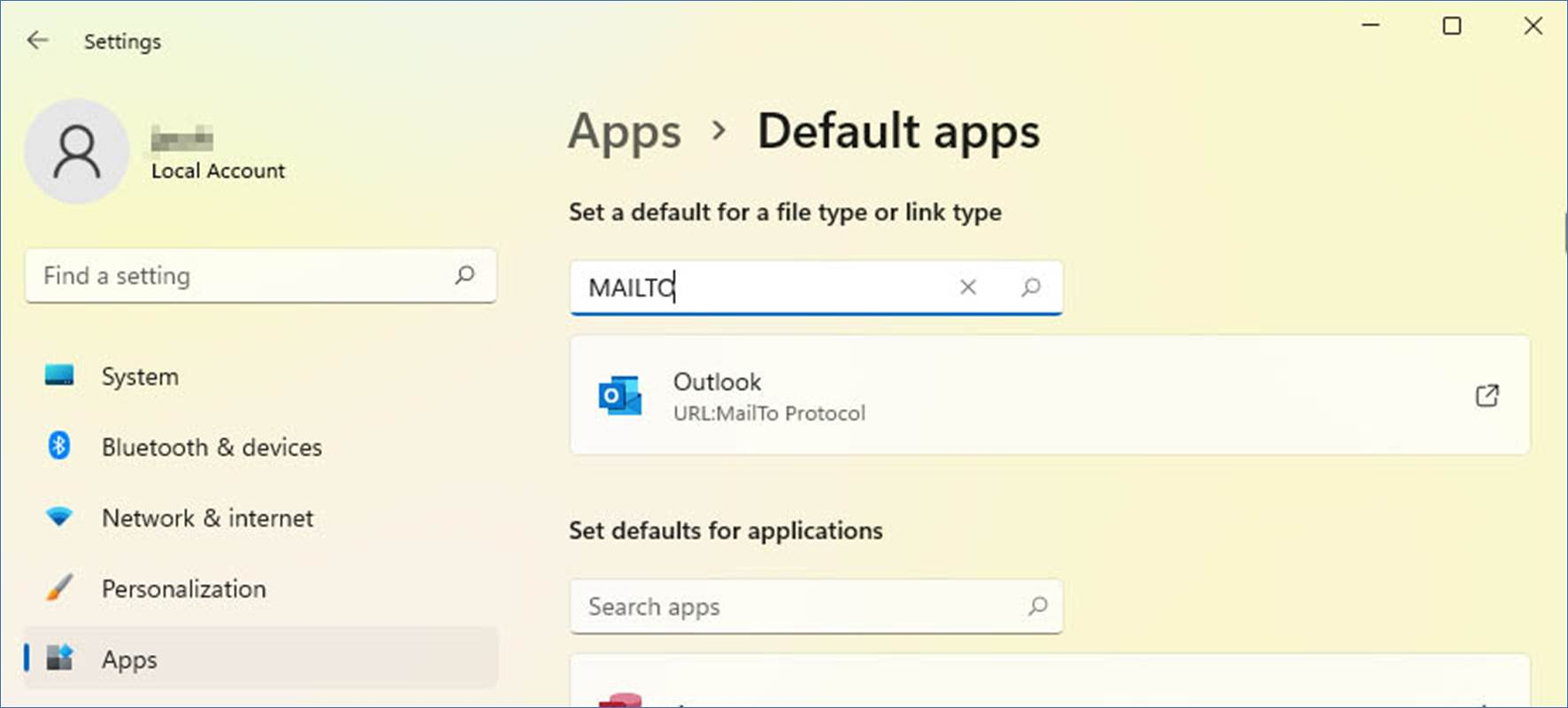
To configure Microsoft Outlook Classic as the default email client, please go to Settings > Apps > Default Apps > and configure Outlook to the MAILTO action, as in the following image:
Please pay attention that the Outlook Classic and the "new" Outlook for Windows icons are slightly different.
If the default email client is set to the new Outlook, the icon looks as in the following image:
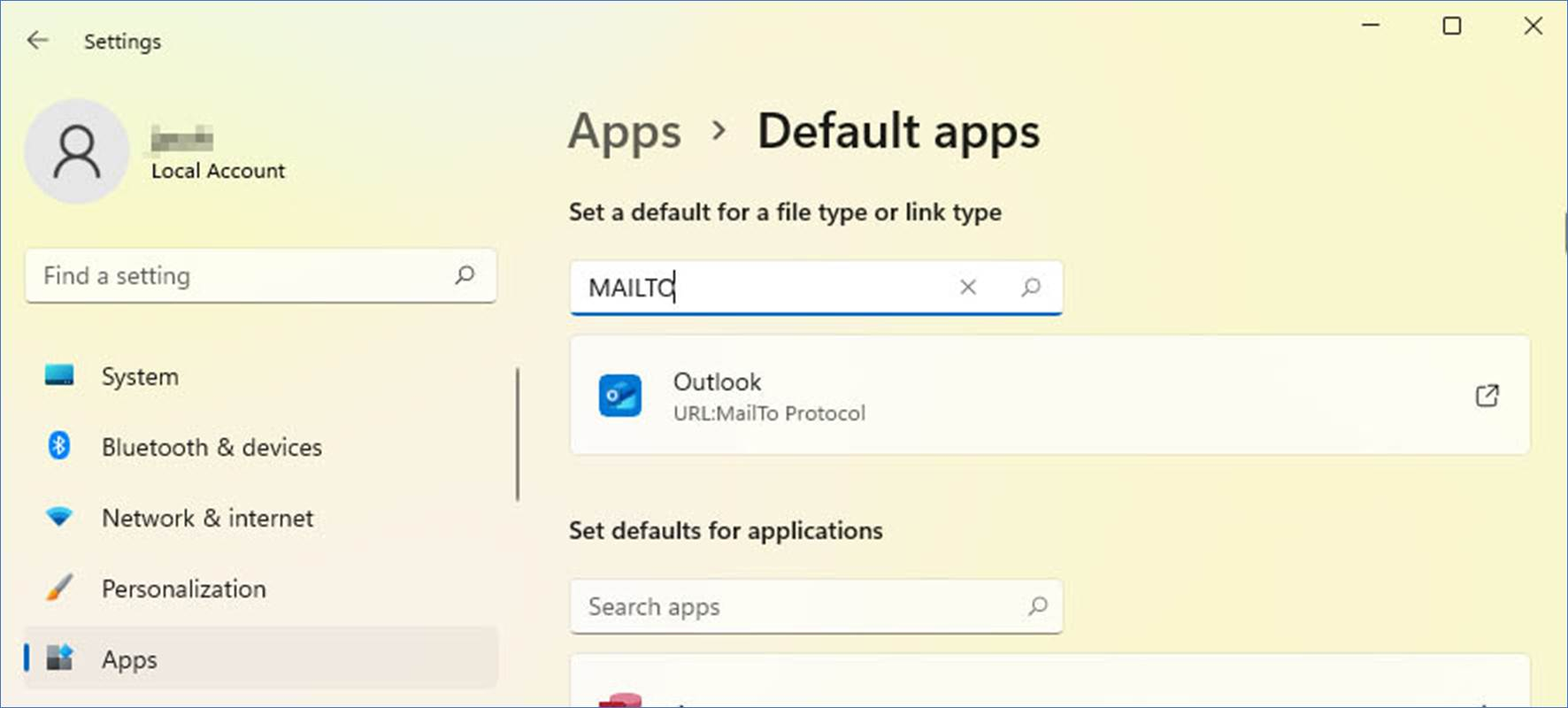
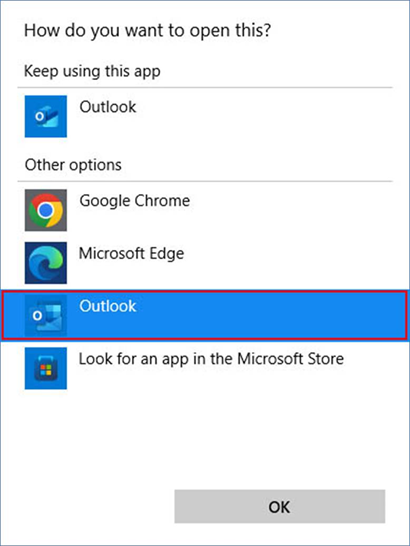
If the default email client is set to the new Outlook, please change it back to the Microsoft Outlook Classic version by clicking the Outlook icon and selecting the Microsoft Outlook Classic icon shown below:
If the default email client is set to Microsoft Outlook Classic correctly, please restart the Printer Driver and try sending emails again with the Printer Driver.