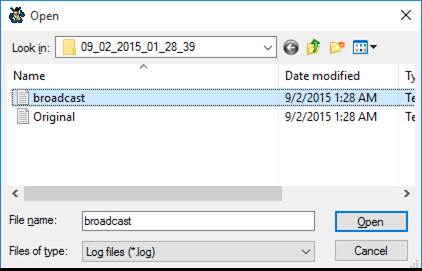
After a broadcast has been completed and the log files have been created, the Add Log File To List menu item becomes available under the Statistics menu. Selecting this option will result in a screen similar to the following:
Navigate to the log file you want to add to either a fax or remove list and Press Open This will open the following window:
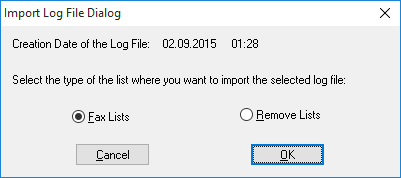
The date and time that the selected log file was created will be displayed at the top of the above window. This information corresponds to the time that the particular broadcast was started. Choose whether you want to add the file to a fax list or a remove list and then press OK. This will display the following window:
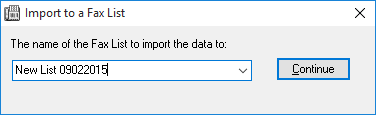
Choose the list that you want to add the log file to and then press Continue. You will be asked to confirm if you want to add the contents of the log to the selected list. After confirming this, the Impact Fax Broadcast will add the contents of the log file to the selected list and will report the statistics/success of the process.