IceViewer PRO
Combine and Rearrange TIFF
& PDF Documents
View, edit, print, scan, OCR, organize, combine or merge TIFF and PDF Documents with Black Ice IceViewer Pro.
Available for both Windows Desktops and Servers.

View, edit, print, scan, OCR, organize, combine or merge TIFF and PDF Documents with Black Ice IceViewer Pro.
Available for both Windows Desktops and Servers.
IceViewer Pro For Desktops (64-bit)
Windows 11/10
IceViewer Pro For Windows Servers
Windows 2025/2022/2019/2016/2012 R2 & Citrix
The IceViewer Pro allows users to effortlessly merge or combine TIFF and PDF documents with TIFF, FAX, PDF, JPEG, or other file formats. The most convenient method for merging or combining documents involves dragging and dropping pages between multiple IceViewer windows, greatly simplifying workflow processes. In addition to the drag-and-drop option, the IceViewer provides keyboard shortcuts and other page and file operation features on the toolbar to fulfill various document processing needs.
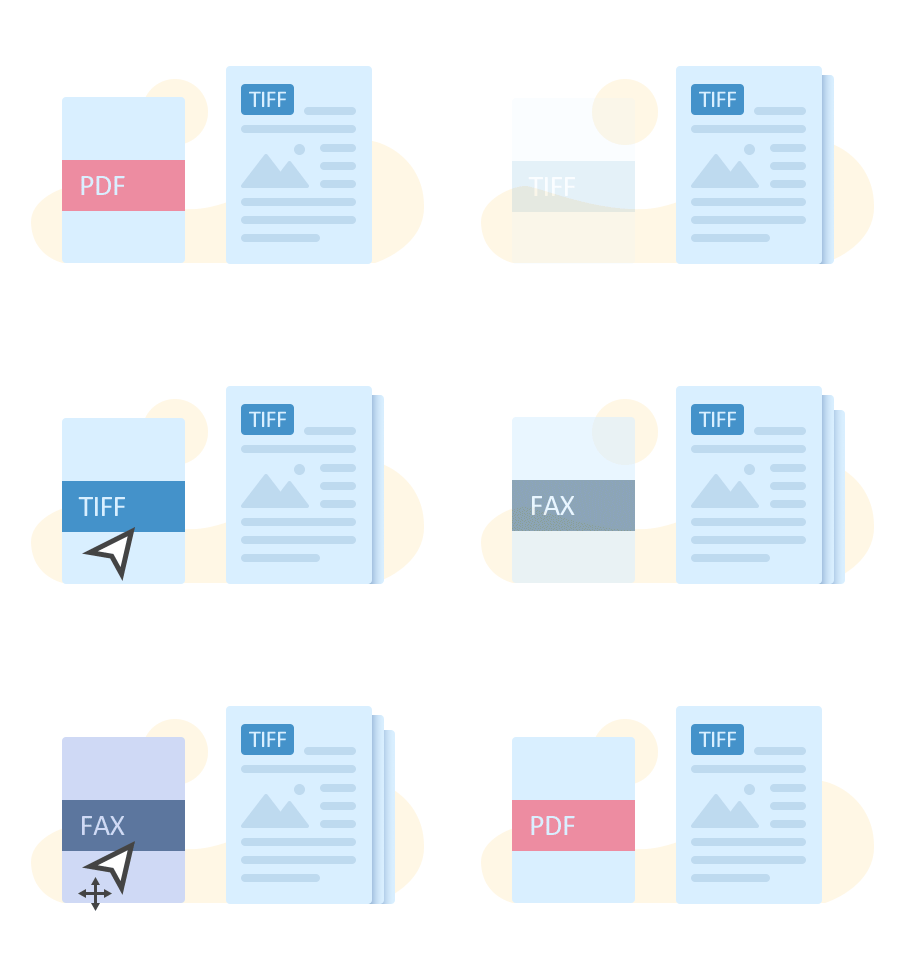
During the merging process, any added pages or documents are seamlessly converted to match the file format of the target document.
Merging different file types like TIFF, PDF, JPEG or PNG can streamline access to information, reducing the time spent searching for specific files and file management.
With the IceViewer Pro, combining content from various sources is straightforward and efficient, ensuring a polished final document. The Insert File tool lets users easily import either a specific page or the entire document from another TIFF or PDF document.
Simply select the page or document to import and specify where to insert it in the current file. You can choose to place it before or after a specific page, or at the beginning or end of the document. Whether you need to import a single page or the entire file, the tool gives you complete control over how your content is structured.


The IceViewer Pro simplifies moving or copying pages between TIFF and PDF documents, enhancing workflows. The most efficient way to copy and paste pages between documents is through the Thumbnail Sidebar.
Select the desired pages in the Thumbnail Sidebar, right-click to open the context menu, and choose Cut Page(s) or Copy Page(s). Navigate to the target document, right-click on the desired location, and select Paste Before Current Page or Paste After Current Page for precise placement.
Simplify document organization with intuitive controls. Users can effortlessly arrange pages within a document by dragging and dropping the desired page to a new location in the Thumbnail Browser Sidebar. Moving multiple pages at once is also not a problem! Use the Ctrl key to select separate pages or use the Shift key to select page ranges, then simply drag and drop the pages.
For handling large documents where the drag-and-drop option may be challenging, utilize built-in keyboard shortcuts or the Move Tool on the Toolbar to seamlessly relocate pages.

Maintain consistency throughout your document by easily rotating any pages. If you happen to add a page with the wrong orientation, simply rotate it with a single click to align perfectly.
Collaboration tools such as Comment, Note, Text or Highlight annotations facilitate communication among multiple users involved in the document reorganization process.
The IceViewer offers a comprehensive feature set for document viewing to enhance the user experience when working with TIFF and PDF files.
A variety of page view options such as fit-to-page, fit-to-width, and normal view ensures the most comfortable viewing. Adjustable zoom modes allow users to zoom in or out with ease to see every detail of the document. In addition, users can fix page orientation with the Rotate tool, pan through pages, or use the Rubberband Zoom mode to see the smallest details.

The IceViewer Pro offers a versatile set of features for viewing or editing TIFF, Fax, Image and Vector PDF documents. Get started with a 15-day free trial to explore all that IceViewer has to offer, or learn about all the features below.
$ 79.00
/ year

View, Print, Edit TIFF & PDF
Annotate TIFF & PDF
Fully Configurable
IceViewer Core Web App
Chrome / Edge extension
IE Browser Plug-In
MSI Installer
OCR TIFF, FAX & PDF
Search TIFF, FAX & PDF
PDF Form Filling
PDF Password Protection
$ 449.99
/ year
View, Print, Edit TIFF & PDF
Annotate TIFF & PDF
Fully Configurable
IceViewer Core Web App
Chrome / Edge extension
IE Browser Plug-In
MSI Installer
OCR TIFF, FAX & PDF
Search TIFF, FAX & PDF
PDF Form Filling
PDF Password Protection
* Please see End User License Agreement for legal definition of the licensing terms.
** Please call for special licensing.
*** The MSI Client Install is available for purchased licenses, System Administrators should contact impactsales@blackice.com or impactsupport@blackice.com with your order number, purchase date and serial number to request a link to download.


Client:
Windows 11 (64 bit)
Windows 10 (32 and 64 bit)
Server:
Windows Server 2025 (64 bit)
Windows Server 2022 (64 bit)
Windows Server 2019 (64 bit)
Windows Server 2016 (64 bit)
Windows Server 2012 R2 (64 bit)
Citrix* XenApp (Citrix Presentation Server), XenDesktop
VMware Horizon + ThinApp, VMware VCenter
Microsoft RemoteApp, Microsoft Hyper-V, Hyper-V VDI
Download the 15-Day Free trial!
You are here:
Home > Combine and Rearrange TIFF & PDF Documents - IceViewer Pro