After installing the printer driver, Devices and Printers do not display which printer is the default.
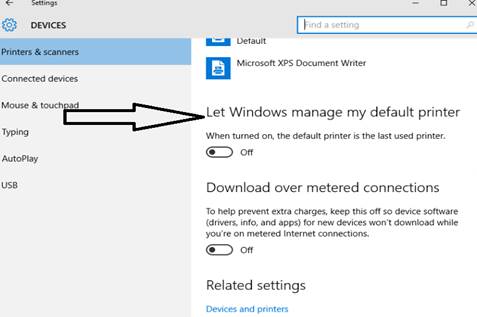
To resolve the problem, please try turning off the “Let Windows manage my default printer” option.
To turn off the option, please open Start and select Settings > Devices > Printers & scanners.
Turn off the Let Windows manage my default printer option: