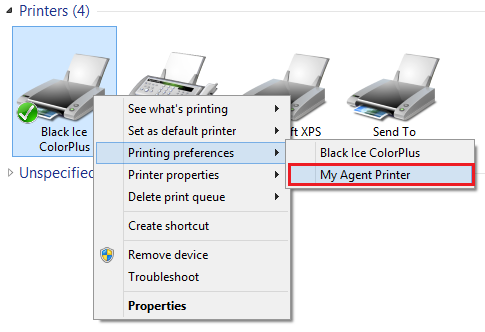
In order to export existing Agent Printer(s) and import to new version of Black Ice printer driver, please perform the following steps:
1. Exporting the Agent Printer(s) from the already installed Black Ice printer driver.
a. Navigate Control Panel > Devices and Printers
b. Right click on the Agent Printer and select Printing preferences or right click Black Ice Printer Driver and select Printing preferences > select your Agent Printer
c. Navigate to the Profile Manager tab and click Add current settings as a new profile button
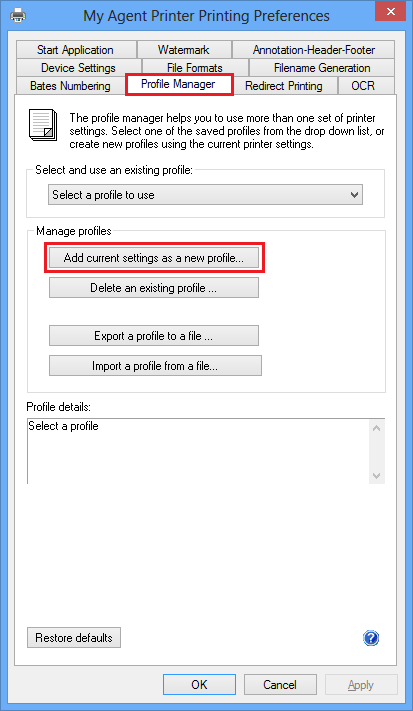
d. Enter the new profile name and click Save button.
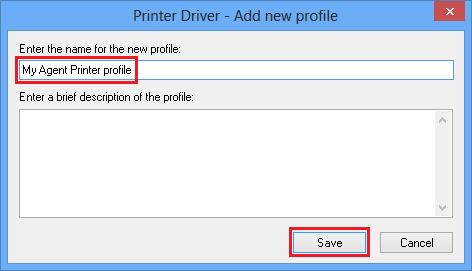
e. Click on the Export a profile to a file button:
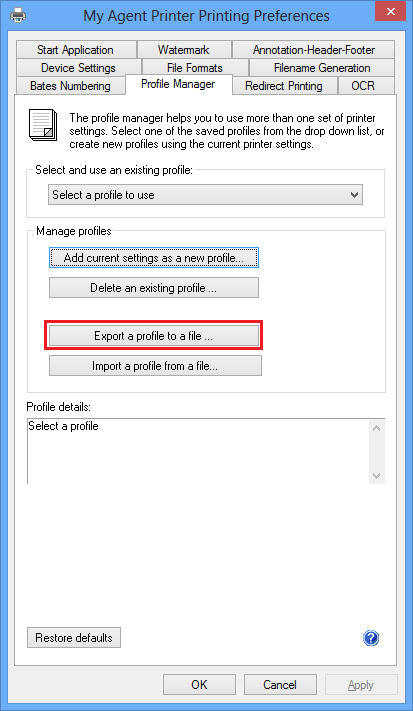
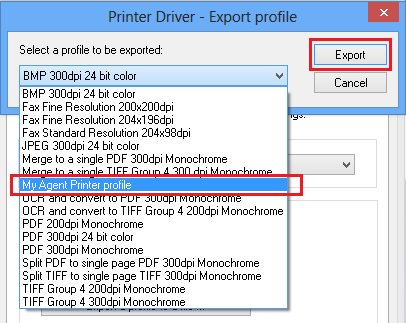
f. Select the previously saved profile and click on the Export button:
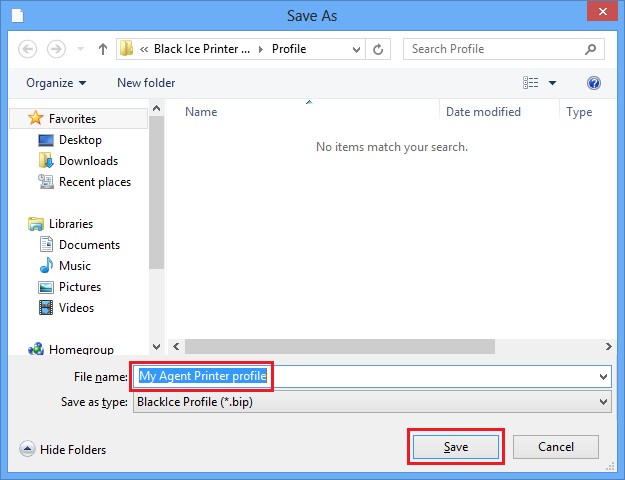
g. Save the profile file:
h. If you would like to export more Agent Printer please repeat the steps from B to G steps.
2. Once every Agent Printer exported, uninstall the old printer driver.
3. Install the new version of the printer driver and Add the Agent Printer(s) during installation:
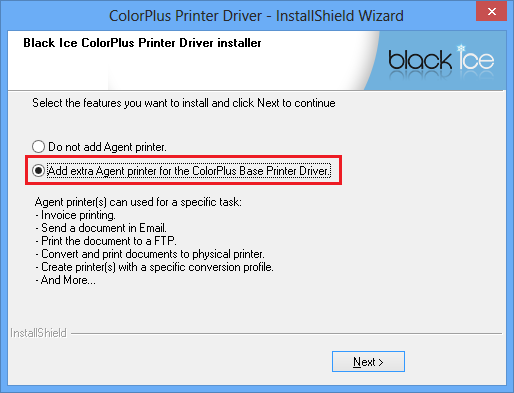
a. On the following installation screen, select Add extra Agent printer for the Base Printer Driver and click Next > button
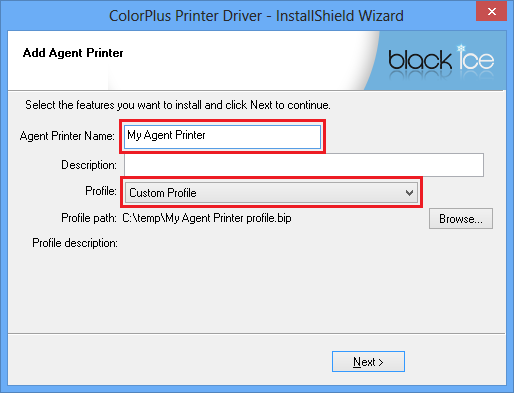
b. Set Agent Printer name, select Custom Profile, Browse saves agent printer profile and click Next > button
c. If you would like to add more agent printer click Yes button
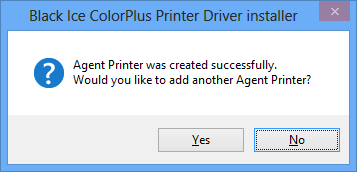
d. Finish installation.