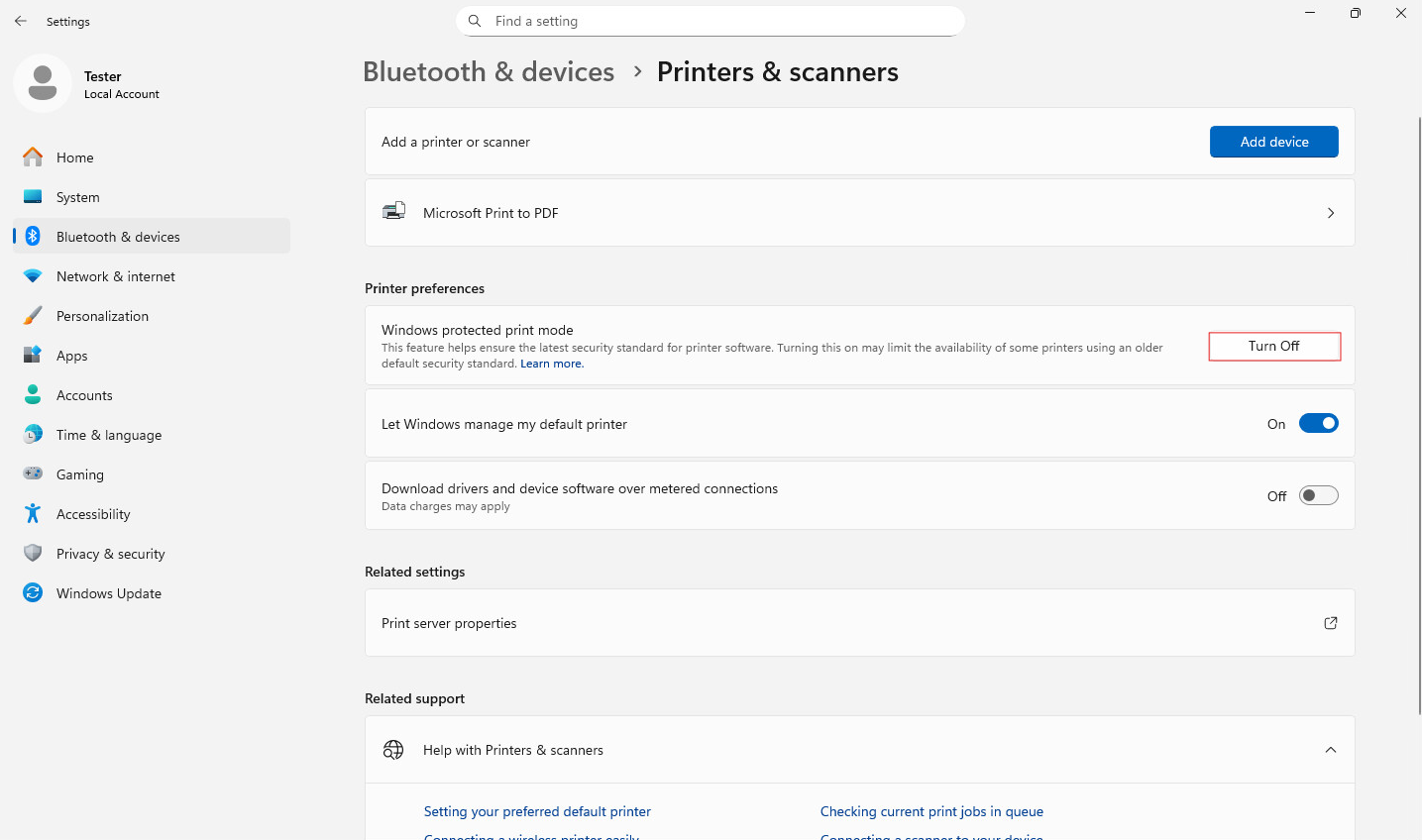
Error Code 50 during installation means that the Printer Driver could not be installed because Windows Protected Print Mode is enabled.
To resolve Error Code 50 during installation, follow the steps below:
On Windows 11 and Windows 2025 Server systems:
1. Navigate to:
Settings > Bluetooth & devices > Printers & scanners
2. Scroll down to the “Printer preferences” section.
3. Locate “Windows Protected Print Mode”.
4. Click the “Turn Off” button.
5. In the dialog that appears, click “Yes” to confirm turning off the Windows Protected Print Mode.
After following these steps, run the Printer Driver installer again.