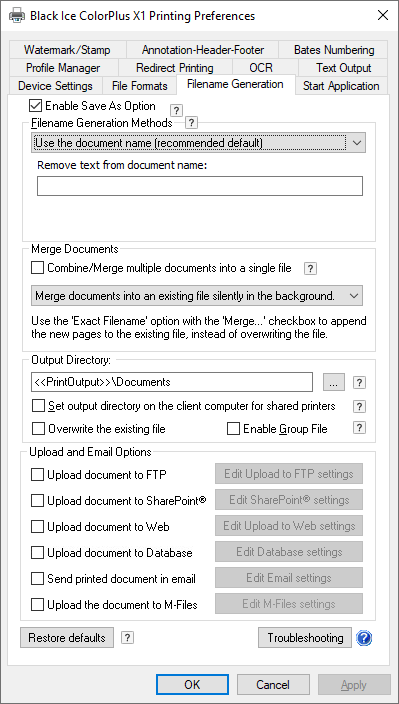
To change the Output directory for the “Save As” option please do the following steps:
1. Open the printing Preferences of the Printer Driver.
Control panel -> Devices and Printers, Right click on the Printer driver Printing Preferences.
2. Click on the Filename Generation tab. Please see screen capture below.
3. Change the User default output directory from “<<USERPROFILE>>\Documents” To “C:\Users\Public\Documents” . the User must have writing privileges to the directory of “C:\Users\Public\Documents”