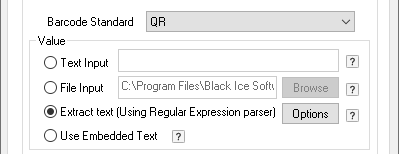
Extract Text (using Regular Expression parser)
Content based barcode printing inserts a barcode in the printed document based on the printed document content. Using regular expression, printed text is parsed and only relevant targeted information extracted form a give document, such as account number, invoice number, pricing, etc. See examples below.
Select the Barcode tab ( Start > Control Panel > Printers and Devices > right click on the Black Ice Printer Drivers X1 then click on the Printing Preferences and click on the Barcode tab ) the one can configure the value of the printed barcode by Extract Text (Using Regular Expression parser).
If the User selects this option, the Printer Driver X1 will use the text from the printed page as the value of the barcode. However, to extract only specific data from the printed page to be used as the value of the Barcode, one needs to create Regular Expression configuration file.
To extract only specific data from the printed page to be the barcode, one can use a Regular Expression. The Regular Expression is a specific pattern that provides flexible means to "match" (specify and recognize) strings of text, such as words, particular characters or patterns of characters. Common abbreviations for "regular expression" include regex and regexp. The location of the regexp.txt and regexpformat.txt sample files are:
On every system, the files are located in the directory pointed to by the %ALLUSERSPROFILE% environment variable.
The environment variable points to the “C:\Documents and Settings\All Users” directory on old systems, and to “C:\ProgramData\” on newer systems.
On newer systems (Windows 11/10 and Windows Server 2025/2022/2019/2016/2012)
C:\ProgramData\Black Ice Software LLC\regexp.txt
C:\ProgramData\Black Ice Software LLC\regexpformat.txt
The file name and the location can be changed in the Printer Driver X1 INI file or by clicking the Options button next to the Extract Text (using Regular Expression parser).
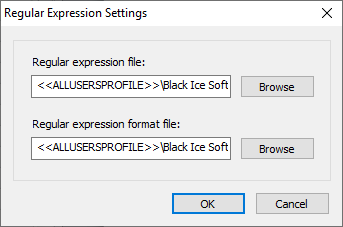
If the printer driver does not find the regexp.txt file, the Printer Driver X1 will extract the whole text from the printed document and uses the printed page text as the value of the barcode.
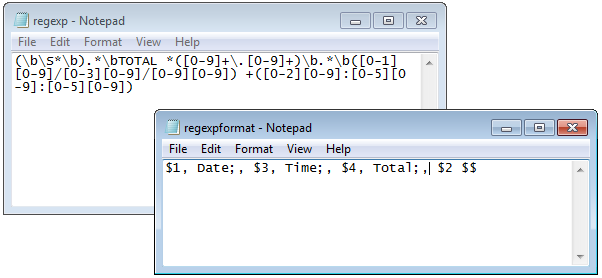
The regexp.txt should contain the regular expression to extract the data from the printed text. The regexpformat.txt contains the declared values to format the extracted data, by the regular expression, to be encoded into a barcode.
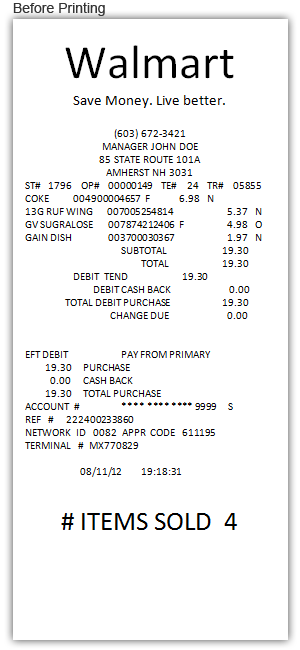

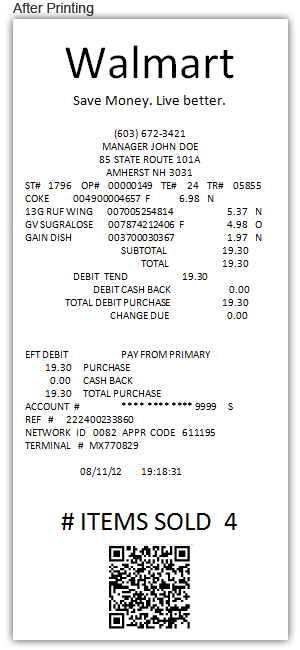
The regexp.txt and the regexpformat.txt;
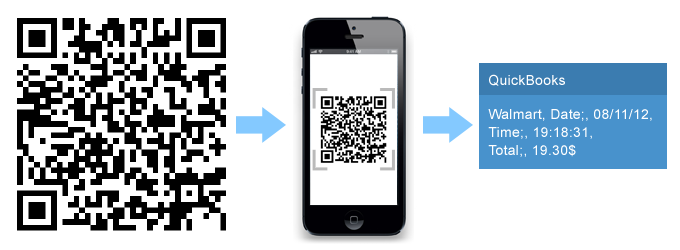
The result is the following:
If the printer driver is unable to extract the text from the page using the regular expression, the Barcode will not appear on the page.
To confirm that the problem is with the regular expression, the Enable Group File option should be turned on in Printing Preferences > Filename Generation.
If the regular expression does not match the document content, the following error will be seen in the .GRP file:
Barcode Error=Invalid barcode value (Regular expression does not match)
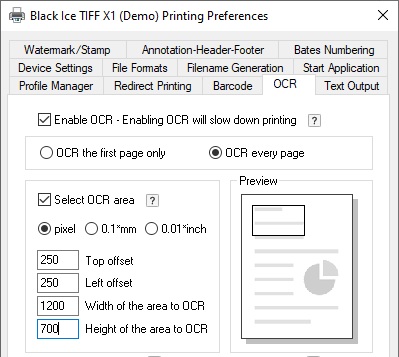
If the Enable Group File option is turned on, the driver will generate a .GRP file into the output directory which can be opened with Notepad.