If the automatic registration fails, one can register the Document Imaging manually without active internet connection by following the instructions below.
As of version 12.52, Document Imaging requires a secure Internet connection (HTTPS) on port 443 to register with the Black Ice Software License Server.
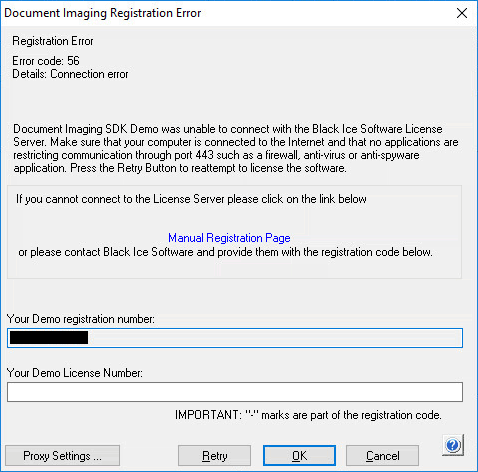
In a secured environment where servers and computers do not have an active Internet connection or Port 443 is being blocked by a firewall, or in virtual machines where the network card is disabled, the following error message is displayed during the registration:
Contact the Network Administrator to enable port 443 and press Retry to attempt to register the product again. You may also register the software manually online through the Demo License Key Request page. Follow the instructions on the page to receive a demo license number immediately.
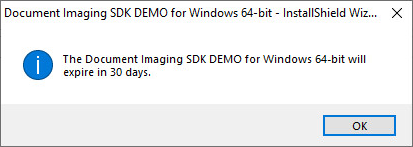
Paste the received Demo License Number from the Manual Registration Page into the Your Demo License Number field and click OK. If the registration was successful, the following window appears:
Alternatively, the user can Contact Black Ice Software via sales@blackice.com or via telephone with the number displayed in the Your Demo Registration Number: field. Black Ice Software provides a Demo License string via email to paste into the Your Demo License Number: field to activate the Demo.
In a secured environment where port 443 cannot be enabled, the product can be registered manually or through the proxy server by clicking on the Proxy Settings… button.
The Black Ice Document Imaging is unable to register the product without a working network card. To register the product, add a working network card to the computer.
Older versions of Document Imaging
Black Ice Document Imaging older versions (version 12.51 or lower) try to register through port 80. If port 80 is blocked or not available, one can register using the alternate ports of 3500 or 15000.