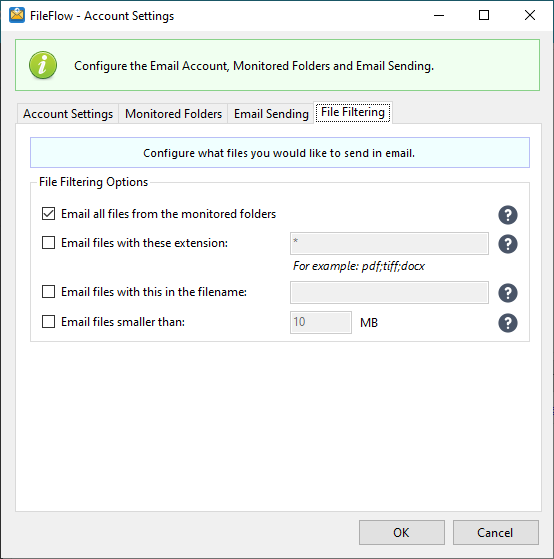
On the File Filtering tab, users can configure which document type should be processed by the FileFlow Service.
Email all files from the monitored folder - The FileFlow Service will process all incoming document types.
Email files with these extension - The FileFlow Service will process files with the specified extensions (for example: pdf;tiff;docx.) and all other document type will be ignored.
Email files with this in the filename - The FileFlow Service will only process files that inculde the user-specified string in the filename and all other document type will be ignored.
Email files smaller than - The FileFlow Service will only process files with a smaller file size than the provided number (in megabytes). This option can be useful to prevent the application from sending very large files in email. If this option is enabled, 10 MB is set as a limit by default.