OEM Printer Drivers
Imaging Toolkits
Automated Printing
End-User Virtual Printer Drivers
Batch Converters
Printing Tools
Document Viewers
HTML5 Viewers
Forms
Print Automation
Impact Fax
Email Automation
Development Tools
Document Converter Printer Drivers, OEM Printer Drivers for Developers, Auto-print SDK for Automated Printing Solutions, Imaging Toolkits, Barcode Toolkits
Impact Products
BiBatchConverter, Print2Email, Print2RDP, Print2Desktop, BILPDManager, TIFF Viewer, FileFlow, Impact Fax Broadcast
Purchase Information
Support
Knowledge
License Key Request
Newsletters
Company
Buy Now Download
Pricing Feature Chart Online Manual ActiveX Online Manual
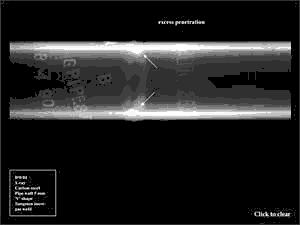
The original image contains two shiny, horizontal objects (welding seams). Let’s try to find only these objects on the image, and skip all other noise.
Just as before (Finding defects on an object) start with a global tresholding (HistDIBThreshold in BiFilter.Dll) with Threshold value = 137.
To be able to use the morphological filters, the image must be transformed into a binary image (DitherFS4 in BiImage.Dll).
The last step is a simple binary closing (BinaryClosing in BiFilter.Dll) with a 3 times 3 full one structuring function.
The final image contains only the objects of interest.
You are here:
Home > Document Imaging SDK > Finding Objects on an Image - Image Processing Techniques
By using this website, you agree to our use of cookies. We use cookies to provide you with a great experience and to help our website run effectively.
 Buy Now
 Download