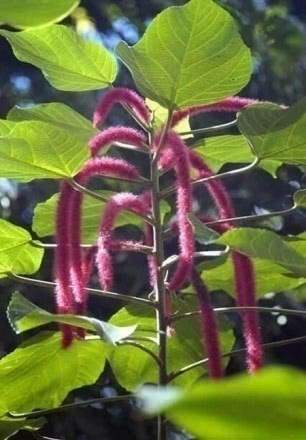
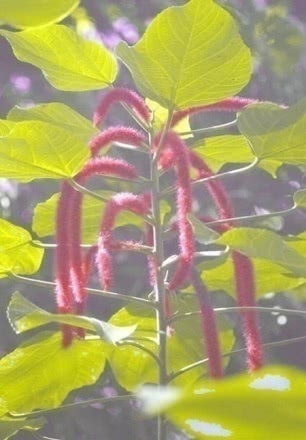
The original 900 x 1300 sized color image and the filtered image with cyan = -80, magenta = -7, yellow = 19 and black = -39 parameter values.
#include "BIIMAGE.H"
HDIB CALLBACK ColorCMYKLevels ( HDIB HDib, int cyan,
int magenta, int yellow,
int black, int iShowProgress,
HWND hParent)
Description
This function will modify the CMYK levels of the image. This function works for only 24 bit per pixel images.
Examples
The original 900 x 1300 sized color image and the filtered image with cyan = -80, magenta = -7, yellow = 19 and black = -39 parameter values.
Parameters
|
HDIB |
hDIB |
Handle of the source DIB. |
|
int |
cyan |
The function increases with “cyan” percents the cyan values of the pixels [-100 - 100]. |
|
int |
magenta |
The function increases with “magenta” percents the magenta values of the pixels [-100 - 100]. |
|
int |
yellow |
The function increases with “yellow” percents the yellow values of the pixels [-100 - 100]. |
|
int |
black |
The function increases with “black” percents the black values of the pixels [-100 - 100]. |
|
int |
iShowProgress |
This parameter specifies the displaying of the progressbar and the preview dialog. Available values: DISPLAY_NONE (0) - The progressbar and the preview dialog will not display before filtering. DISPLAY_PROGRESS (1)-The progressbar will display during filtering procedure. DISPLAY_DIALOG (2) - The preview dialog will display before filtering. This dialog shows the part of the image before and after filtering. DISPLAY_BOTH (3) - The progressbar and the preview dialog will display. IMPORTANT: The preview dialog will only display, if there is BiDlgs.dll installed. |
|
HWND |
hParent |
Handler of the parent window to display preview dialog. |
Return values
The handle of the new DIB or NULL if an error occurred. The GetLastColorConvertError function will return the error code.
Programming notes
The function will not free the input DIB.