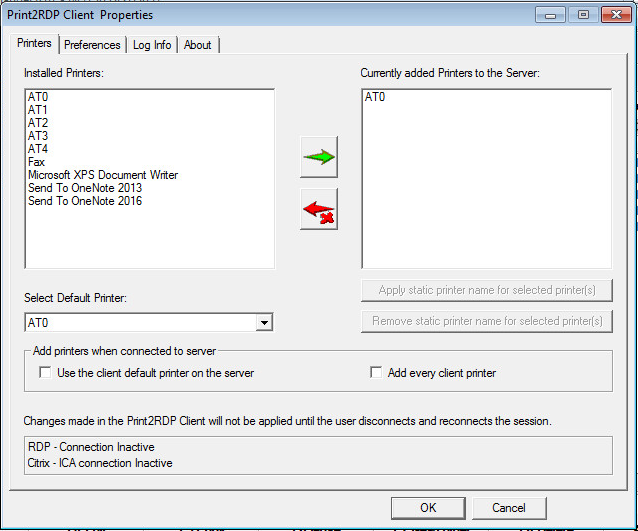
When the “Use the default client printer on the server” option is checked, the user’s local default printer is added to the Print2RDP Client printer list. This printer is added to the server (and will be the default printer in the session) when the user connects to the Print2RDP Server.
When the “Add every client printer” option is checked, every local printer of the user is added to the Print2RDP Client printer list on the server. These printer(s) are added to the server when the user connects the Print2RDP Client to the Print2RDP Server.