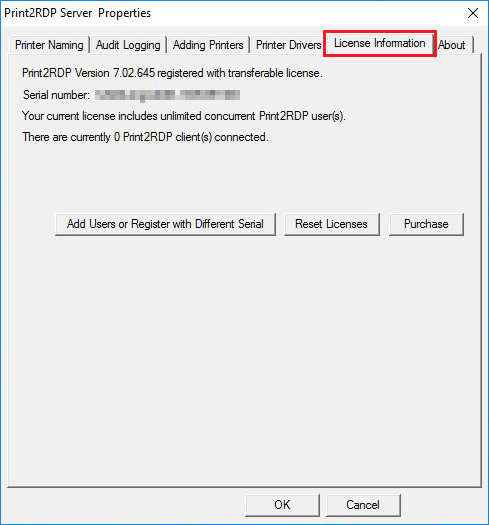
If you would like to replace your transferable license number to static license number, please perform the steps below:
1. Contact sales@blackice.com with your current Print2RDP Server serial number, and they will make the necessary changes to convert your serial to static serial.
2. Once our sales department has confirmed and provided your transferable serial, go to Print2RDP Server > License Information > Register with different serial button, and register the product again with the static serial number.
NOTE: If the computer is not connected to the internet, one can perform manual registration to register the product. When performing manual (offline) registration with transferable license, the license will be automatically converted to static license.
3. When the registration is finished, check if your license is not transferable based on the description of How do I know if I have transferable license?
If everything worked properly, Print2RDP Server now registered with a static license.
If one would like to convert a regular (static) license number to transferable, please contact sales@blackice.com.