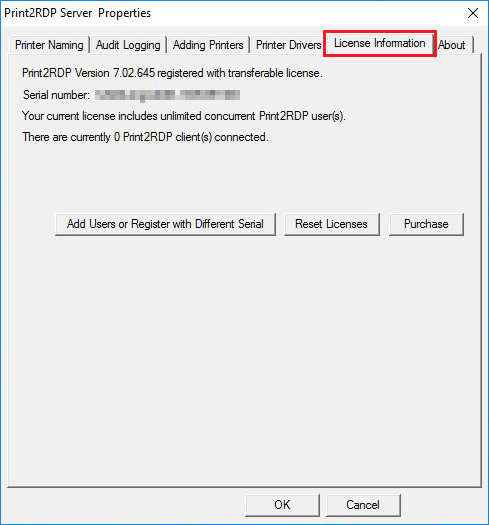
To upgrade Print2RDP, the users have to complete the following steps:
Uninstall the old version of Print2RDP.
Install the new version of Print2RDP.
Register the product with the same (original) serial number.
Additional users can be added to a license at any time by calling Black Ice Software or a Reseller. The serial number does not change, so re-registering Print2RDP with the original serial number unlocks the additional users.
Note: Please make sure the Print2RDP Server application is running as administrator.
If you do not see the license information tab, or registration button is grayed out, it indicates the application is not running as an administrator. Please close the application, right click on the application and select Run as administrator.
Press the License Upgrade button and the Licensing Window appears:
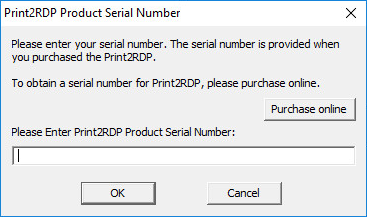
Enter the original Print2RDP serial number and the software attempts to register itself with Black Ice Software.
If registration failed, refer to the Manually registering the Release Version of Print2RDP.