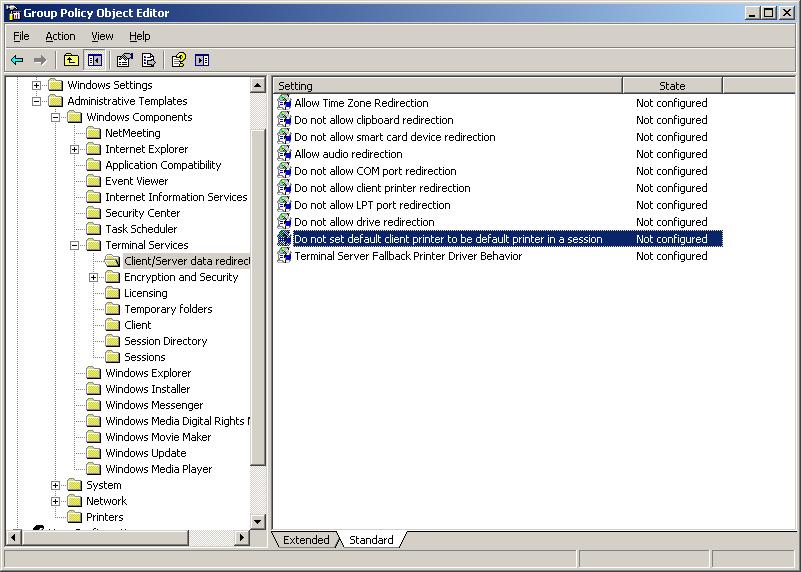
Configure the Print2RDP client printer to become the default printer on the server.
To change “Do not set the client printer to be default in a session” in the Group Policy Management, perform the following the steps:
1. Go to Start > Administrative Tools > Group policy management.
2. Create a new GPO, or modify the existing one.
3. Navigate to Computer Configuration > Administrative templates > Windows Components >Terminal Services > Client/Server data redirection.
4. Double click on "Do not set default Client printer to be default printer in a session" and set the value to Disable to authorize the default client printer to be the default printer on the server…
Click Apply to activate the settings.
