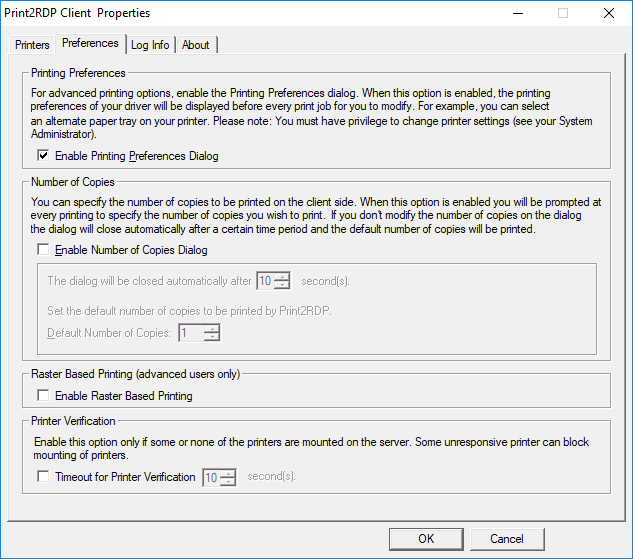
When this option is checked, every time a document is printed, the Printing Preferences tab allows the client to access their local printer driver settings before the job is sent to the local printer and to specify the number of copies to print. This option is useful to change the output paper tray or other advanced options provided by the printer driver.
On the server side of the Printing Preferences dialog only the Paper size, Orientation, and Resolution of the Printing can be changed:

However, when the Enable Printing Preferences option is enabled in the Print2RDP Client, the client computer shows the unique printing preferences of the client printer. Press OK for printing on the server side, and before the document gets printed on the client side, the printing preferences of the client printer are displayed with all the advanced functions the printer supports.
