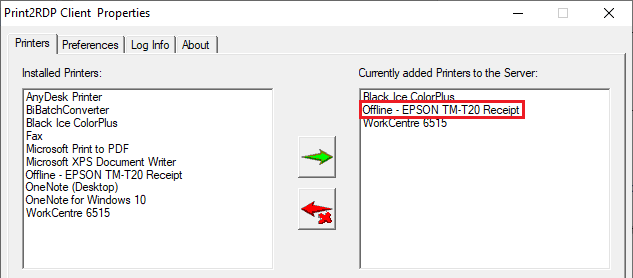
Users can check the availability of the currently added printers under the Printers tab of the Print2RDP Client.
The “Offline” prefix before a printer’s name indicates that the printer is currently not available.
If the printer is offline when printing from a remote desktop to the client’s local printer (for example, EPSON TM-T20 Receipt), the following error message appears on the client computer:

Network printers that are directly connected to the network Windows Operating System are not able to detect in real-time if the printer is offline (for example, Xerox WorkCentre 6515).
During the printing to an offline network printer (like Xerox WorkCentre 6515), the following print notification is displayed by Windows on the client computer.
