Yes. Print2RDP can mount physical printers and virtual printer drivers shared over the network during the RDP connection. To mount the shared printers, perform the following steps:
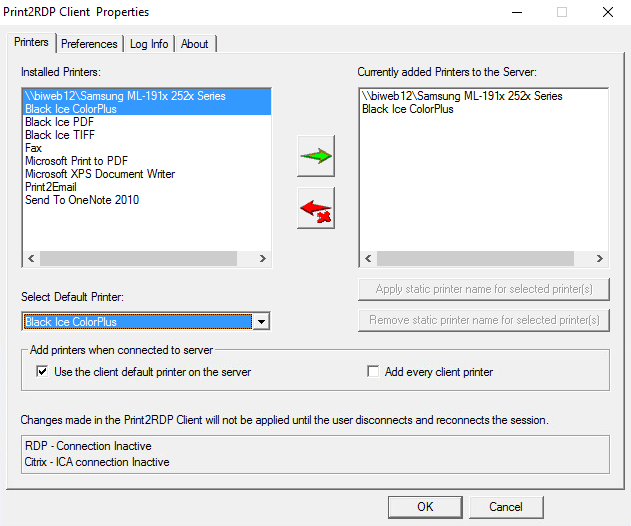
On the client system start Print2RDP Client, and move the shared printer to the right, by selecting the printer and clicking on the green arrow button:
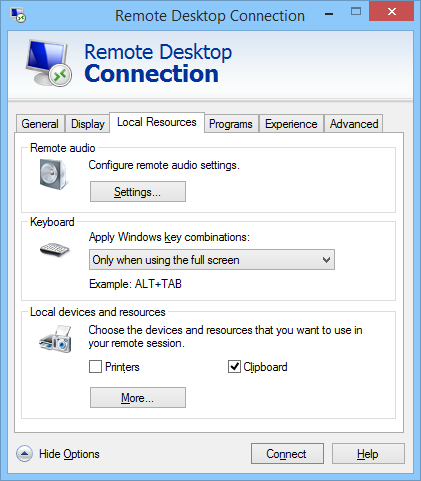
When finished, click on the OK button and run a Remote Desktop Connection utility. First, make sure the Printers option is unchecked under Local Resources.
Connect to the Server through the Remote Desktop Connection.

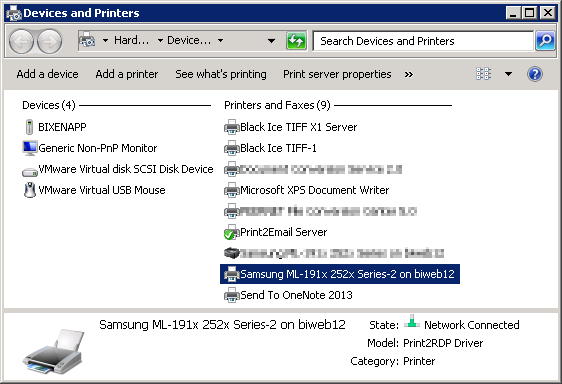
On the destination server, the shared and mounted printer will appear in the Devices and Printers.